
Notice
Recent Posts
Recent Comments
Link
| 일 | 월 | 화 | 수 | 목 | 금 | 토 |
|---|---|---|---|---|---|---|
| 1 | 2 | 3 | 4 | 5 | 6 | 7 |
| 8 | 9 | 10 | 11 | 12 | 13 | 14 |
| 15 | 16 | 17 | 18 | 19 | 20 | 21 |
| 22 | 23 | 24 | 25 | 26 | 27 | 28 |
Tags
- Git
- window
- MacOS
- geofencing
- darkmode
- SwiftUI
- Xcode
- IOS
- JPA
- Archive
- github
- Firebase
- appstore
- 이미지
- Realm
- 한글
- shorebird
- FLUTTER
- UIButton
- Swift
- Code
- mac
- Apple
- Session
- iOS16
- 개발자
- error
- rxswift
- 웹뷰
- 맥
Archives
- Today
- Total
EEYatHo 앱 깎는 이야기
Flutter ) 터미널이 flutter 경로 인식 못할 때 - EEYatHo 본문
맥 OS 카탈리나부터, 터미널이 bash에서 zsh로 바뀌었습니다.
터미널의 환경변수를
bash에서는 ~/.bash_profile에 적었었지만,
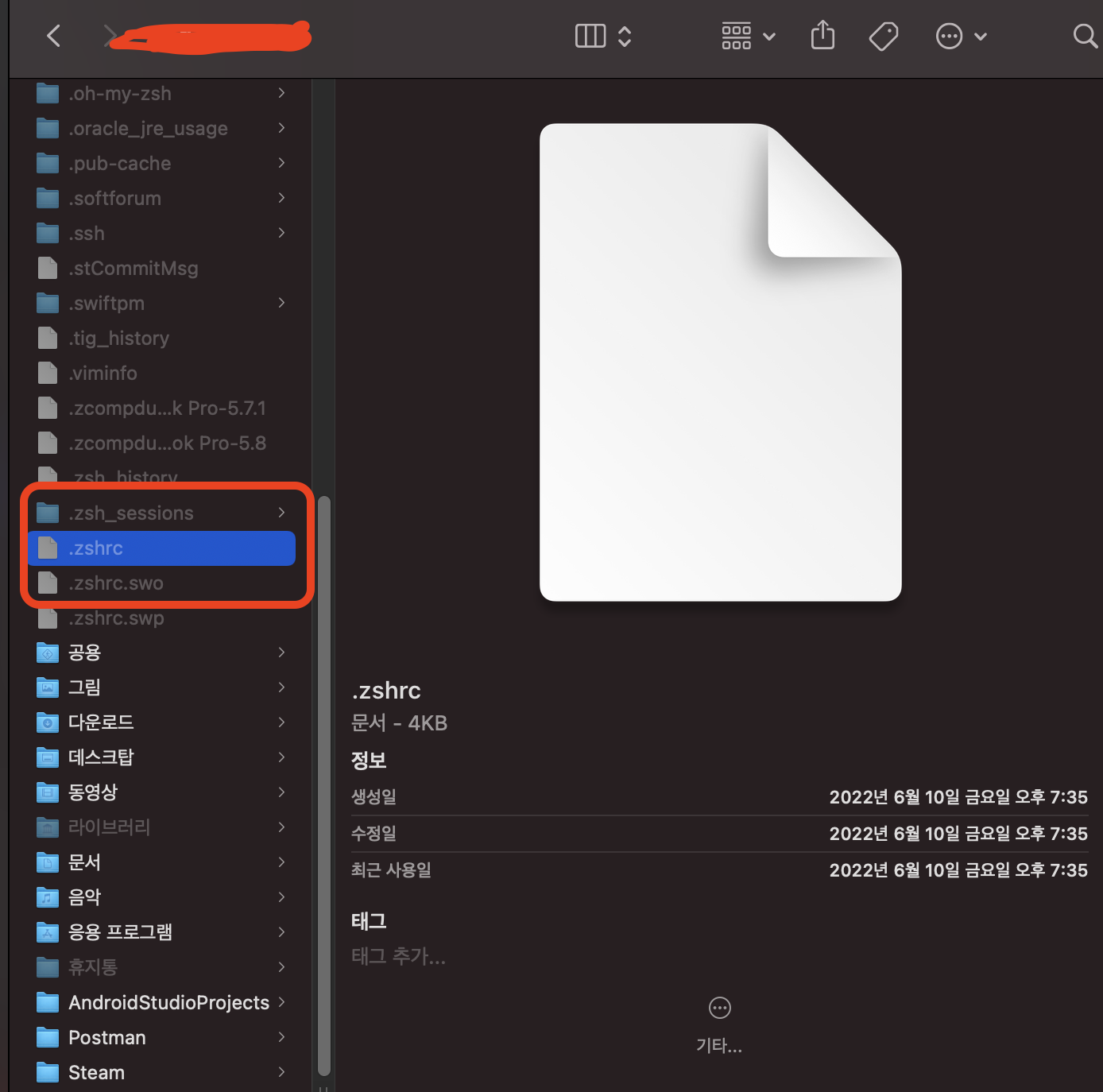
zsh에서는 ~/.zshrc에 적습니다.
때문에, zsh를 쓰시는 분들은 bash_profile에 Path 추가해줘도 터미널에서 flutter 명령을 인식하지 못합니다.
( "command not found: flutter" 에러가 뜨게 됩니다. )
zsh 터미널에 환경변수 추가하기
~/.zshrc 파일끝에 아래 코드를 적어주시면 됩니다.
터미널로 하셔도 되고, 직접 GUI로 열어서 적으셔도 됩니다.
export PATH="$PATH:[flutter bin폴더 경로]"
참고 블로그 : https://eunjin3786.tistory.com/221
아기개발자님 감사합니다 :)
'Flutter > Error' 카테고리의 다른 글
| Flutter ) ios 빌드 무반응 (Encountered error while building for device) (1) | 2024.12.19 |
|---|---|
| flutterfire: command not found (0) | 2024.12.06 |
| Flutter ) 개발자를 확인할 수 없기 때문에 iproxy를 열 수 없습니다. - EEYatHo (0) | 2022.08.15 |
| Flutter ) GoRouteInformationProvider 에러 해결 - EEYatHo Flutter (0) | 2022.06.27 |
| Flutter ) don't support null safety - EEYatHo (0) | 2022.06.20 |
'Flutter/Error' Related Articles
more


Comments